

Created by the Kawaii Vibe editorial team. Our named style desks are editorial personas. Product details and availability can change.
Here's the quick version. This page has 30 free kawaii wallpapers: 15 for desktop and 15 for mobile. To save one at full quality on a computer, right-click the image, open it in a new tab, then save it from there. On a phone, press and hold the image, choose the open-in-new-tab option, then save it from that page.
That's the whole download process. The rest of this guide is about making the choice easier and making it look good. Which wallpaper suits your lock screen? Which one keeps your icons readable? And how do you echo that same mood in what you wear and carry, without turning your whole day into a theme party?
Think of a wallpaper as the smallest accessory you own. You see it dozens of times a day. It can match your bag, your hoodie or your desk, or it can be a little bit of soft color in an otherwise plain outfit. Let's get you set up.
How to save them at the best quality
Start with the method, because it's the step people skip. If you tap a wallpaper and save the small preview, you can end up with a softer, blurrier file. Opening the image in its own tab first gives you the larger version to save.
On a desktop or laptop, right-click the image and pick the option to open it in a new tab. Once it loads on its own, right-click again and choose to save the image. Put it somewhere you'll find it, like a folder called Wallpapers, so you aren't hunting through Downloads next week.
On a phone, press and hold the image until a menu pops up. Choose the new tab option, wait for the full image to load, then press and hold again and save it to your photos. After that, go to your phone's wallpaper settings and choose it from your gallery.
One small habit helps: save two or three that you like, not just one. You'll probably want a different mood on Monday morning than on a Saturday. Having a few ready means you can switch in ten seconds.
Desktop or mobile: pick the right set
The 15 desktop wallpapers are for wide screens, like laptops and monitors. The 15 mobile wallpapers are for tall phone screens. Don't swap them and hope for the best. A wide image on a phone gets cropped hard, and a tall image on a laptop leaves you with awkward empty space or a stretched look.
If you use a tablet, try the set that matches how you hold it most. Many people use a tablet upright for reading and sketching, so a mobile wallpaper may feel more natural. If it lives on a stand or keyboard, try the desktop set. Your device settings usually let you move or scale the picture, so check the preview before you confirm.
Your own screen matters more than any rule. Different devices crop in different ways, and phone clocks, widgets and dock icons all sit on top of the image. Set the wallpaper, then look at it for a minute. If the cutest part of the picture is hidden behind a clock, nudge it, or pick another one.
If you use more than one device, you don't have to match them exactly. A calm desktop with a livelier phone is a good split. Your computer is where you focus, and your phone is where you scroll and smile.
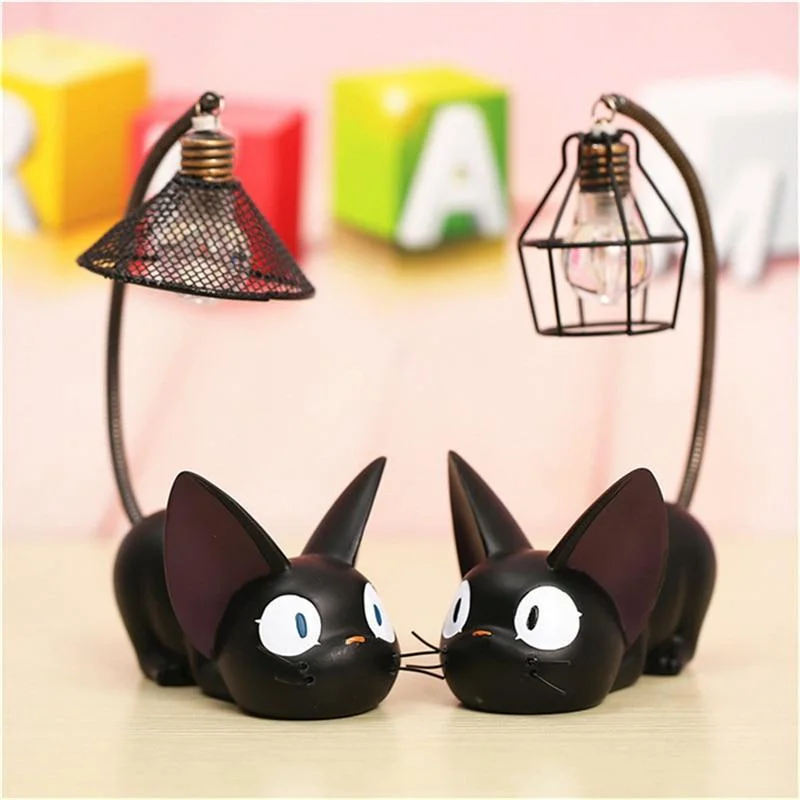
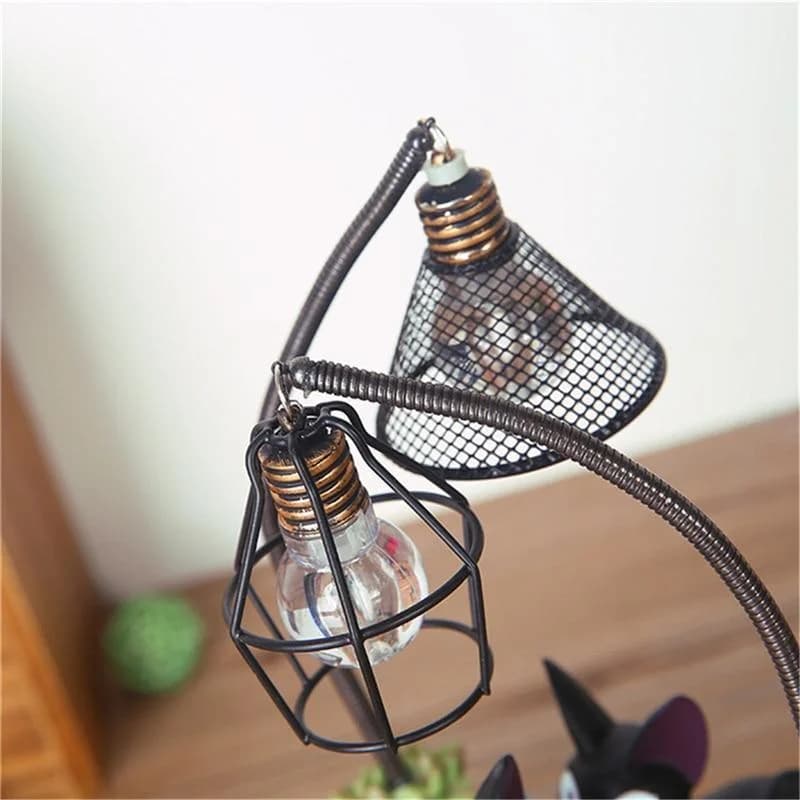
When choosing a wide monitor graphic, think about how nearby physical accents balance your screen layout. Placing pieces from our kawaii room decor range beside your monitor frames the display nicely. For instance, positioning the Kawaii Black Cat Lamp near your keyboard adds a dark accent that balances bright digital illustrations without blocking your view of lower taskbars.
Choose by mood, not just by cuteness
Every kawaii image is cute, so "cute" won't help you choose. Ask what you want the screen to do for you instead. Do you want a soft start to the morning? A bright pick-me-up for a slump? Something quiet that won't distract you while you work?
Scroll through the set and sort your favorites into three loose piles. Soft and pastel ones are good for calm, focused days. Bright and busy ones are good for your phone, which you only glance at. Anything with a clear character or object works well as a lock screen, because you see it before the icons arrive.
Color is the quickest way to match a wallpaper to the rest of your life. If you love a green, sleepy, snack-friendly mood, the Kawaii Avocado collection is a fun way to carry that into a bag charm or small accessory. If your favorite wallpaper is pink and cream, think of that as your palette for the week and build from there.
Pick one wallpaper for how you feel today, not forever. You can change it as often as you change your socks.
Lock screen versus home screen
Your lock screen and home screen do different jobs, so they don't need the same picture. The lock screen is a moment. You see it, you smile, you swipe away. That's where your most detailed and most colorful wallpaper can shine.
The home screen is a workspace. Icons, folders and widgets sit on top of it, so a very busy image can make everything hard to read. If you're squinting at app names, the wallpaper is too loud for that screen. Try a calmer one, or one with open areas where icons can sit.
Here's a simple test. Put the wallpaper on your home screen and look at your most-used apps. Can you find them without searching? If yes, keep it. If not, move it to the lock screen and choose something with more empty space for home.
On desktop, the same idea applies. Files tend to pile up on the left side, so a wallpaper whose main character sits on the right can feel tidier. If your desktop is already full, a softer image will keep things from feeling chaotic.
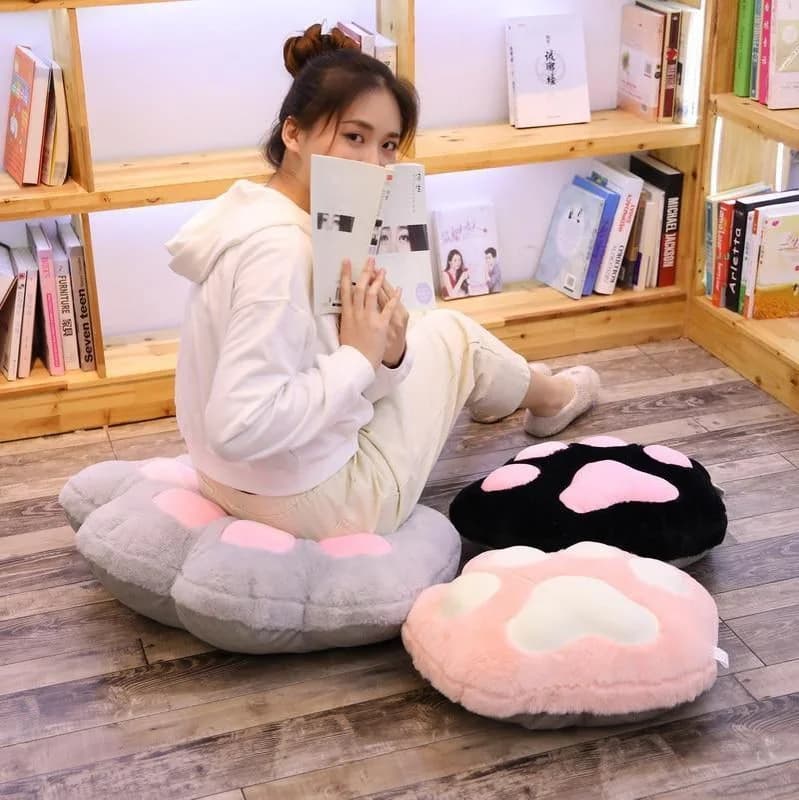
If your mobile home screen needs a plain background to keep app text readable, reserve your favorite graphic themes for your physical space instead. You can place the Kawaii Cat Paw Pillow Plush on your chair to repeat your lock screen theme. It comes in sizes S and M, with color options in Gray, Black, White, or Brown to coordinate with your device layout.

Match your phone gear to your wallpaper
A wallpaper looks best when the things around it quietly agree with it. You don't need a perfect match. You need a shared color or feeling, so your phone, your earbuds and your bag look like they belong to the same person.
If your wallpaper has a soft pink or lilac feel, a Kawaii AirPod Case in a nearby shade makes the whole setup feel planned. If your wallpaper is bold and bright, keep the case simpler so the screen gets to be the star.
Bags are the next layer. A small Kawaii Bag works for days when you're carrying just your phone, keys and a lip balm. A Kawaii Backpack makes more sense for campus, commuting or a laptop day, and it's a good partner for your desktop wallpaper, since that's the screen it carries.
For smaller touches, browse Kawaii Accessories for charms and add-ons that can echo a color from your screen. One small repeat is plenty. Three repeats start to look like a uniform.
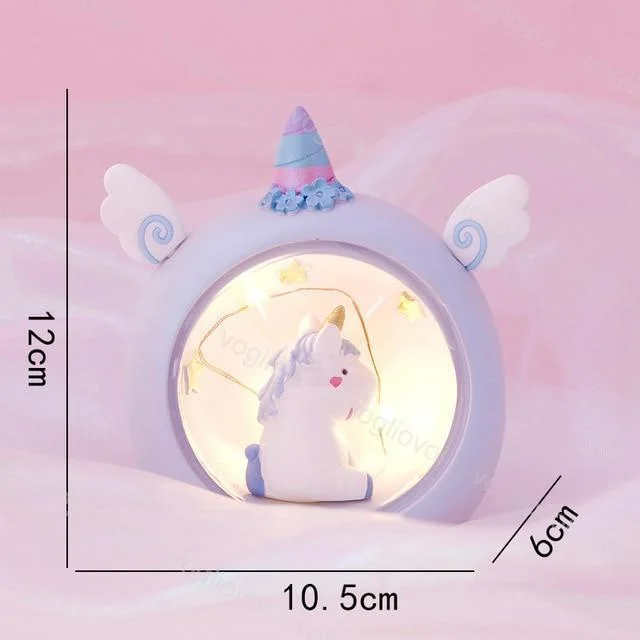
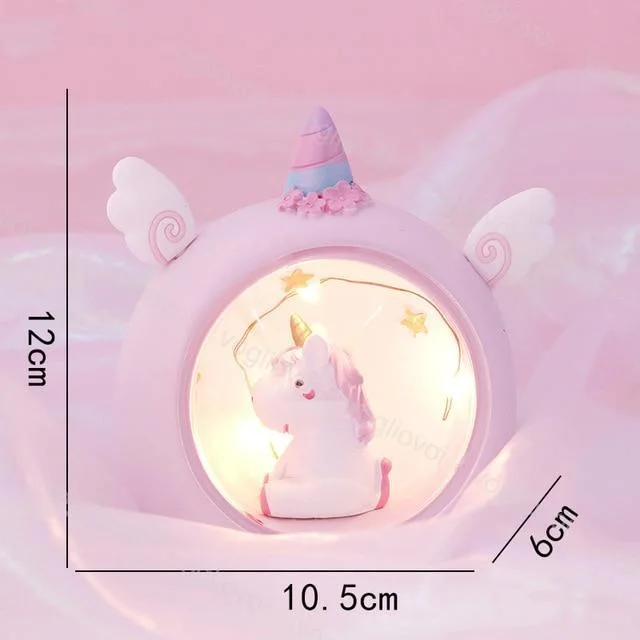
When matching your phone cases to your wallpaper, look for tabletop accents that mirror those same pastel colors. The Kawaii Unicorn Lamp offers Blue and Pink options that pair naturally with matching phone grips or desk stands. Adding an accessory in a matching shade keeps your phone station organized and visually unified whenever you rest your device on your desk.


Cool-weather outfits that go with soft, cozy wallpapers
When the weather turns, cozy wallpapers feel right, and so do layers. Here's an easy outfit that matches a pastel, dreamy screen. Start with the Kawaii Frog Hoodie, which comes in S, M, L and XL. Wear it over a plain white tee, add straight-leg jeans and white sneakers, and keep your bag neutral. The hoodie carries the personality, and everything else keeps the look easy.
Why it works: one playful piece plus plain basics reads as intentional. If the hoodie is the loud part, the rest of your outfit shouldn't compete.
For a sweeter option, try the Kawaii Bunny Hoodie, available in S through XXL. Pair it with a pleated skirt or soft joggers, thick socks and boots or sneakers. If your wallpaper is cream and blush, stay in that color family and let the hoodie be the focal point.
Add a Kawaii Beanie when it's properly cold. A beanie sits near your face, so choose a color that flatters your skin and picks up one shade from your wallpaper. If you wear glasses, check that the band doesn't push the frames out of place before you commit.
Fit check: hoodies are easy to size wrong because people want different looks. Decide first whether you want it roomy or close, then compare the size chart on the product page with a hoodie you already own. Measure that one flat, from armpit to armpit and from shoulder to hem. I can't promise how any piece will fit you, so use your own measurements as the guide.
Warm-weather outfits for brighter, busier wallpapers
Bright wallpapers can handle lighter outfits. If your screen is full of color, start with a simple tee and let the rest of the look stay clean. The Kawaii Heart Striped T-Shirt comes in M, L, XL and XXL. Wear it tucked loosely into denim shorts or a flowy skirt, with sandals or low sneakers.
Why it works: stripes already add pattern, so the bottom half should stay quiet. If you want more fun, add it in small doses, like colorful hair clips or a tiny bag, rather than another busy print.
Sneakers are a good place to bring in a little extra personality. Browse Cute Kawaii Sneakers if you want a pair that works with shorts, skirts and wide-leg pants alike. Pick a color that already appears somewhere in your outfit so the shoes look connected.
If you like a more layered, playful street look, the Harajuku & Kawaii collection is a handy place to look for ideas. Keep one anchor in mind, though. Pick the piece you want people to notice, then let everything else support it.
On very hot days, comfort comes first. Choose breathable-feeling cuts you already know you like, skip anything that needs constant adjusting, and carry a small bag so your hands stay free. A cute outfit you keep tugging at isn't cute for long.
Build a desk or cozy corner around your desktop wallpaper
Your desktop wallpaper is the backdrop to your workspace, so use it as a starting point for the little corner around it. This is the fun, cozy part. You don't need to redecorate. You need two or three small things that feel like they belong with your screen.
A plush is the easiest anchor. The Kawaii Boba Plush comes in four sizes: 24 cm, 35 cm, 50 cm and 70 cm. The smaller sizes can sit beside a monitor or on a shelf. The bigger ones suit a bed, a reading chair or the floor next to your desk. Before you choose, measure the spot where it will live. A 70 cm plush is much larger than it sounds, and you'll want to know it fits.
Keep the colors in a tight range. If your wallpaper is pastel, a few soft items look calm together. If your wallpaper is vivid, one bright object is enough. Too many colors fighting for attention makes a desk feel cluttered, even when everything is cute.
Lighting matters too. Warm light makes pastel screens and soft objects feel cozy in the evening. Just make sure your screen doesn't have glare from a lamp, because it's hard to enjoy a wallpaper you can't see.
This also makes a thoughtful small gift setup. A wallpaper is free, so pairing your favorite with a plush or an accessory for a friend who loves kawaii is a sweet idea. Choose something that fits their taste and space, not yours.
To build a comfortable corner around a scenic desktop wallpaper, combine tabletop illumination with complementary textiles. You might place the Dumpling Lamp, available in Happy and Ruyi expressions, right beside your display. If you sit near a reading nook, you could also drape the Kawaii Green Avocado Blanket, which comes in sizes ranging from 120x200cm to 200x230cm, across your chair back.

Easy outfit formulas for a "matching" day
Sometimes you want your outfit and your phone to feel like a team. Here are three simple formulas that don't need a lot of shopping.
Formula one: color echo. Pick one color from your wallpaper and wear it once, in socks, a bag, a hair clip or a top. The Kawaii Flower Socks come in one size, and they're a low-effort way to add a flower-bright detail with a plain sneaker and jeans. Let them peek out above your shoes.
Formula two: one character piece. Choose a single item with a clear personality, like a hoodie or a printed tee, and keep the rest solid. This works for school, errands and casual hangouts.
Formula three: small details only. If you work somewhere dressier or just prefer quiet outfits, keep your clothes simple and let the kawaii live in your phone, a bag charm or the Where Is My Freedom Bracelet. It's one size, so there's no clothing size to guess, though you may still want to check the product page for how it looks on the wrist.
The point of all three is restraint. When one thing is the star, it looks styled. When ten things are, it looks like you grabbed everything at once.
Common mistakes to avoid
Saving the preview instead of the full image. If a wallpaper looks soft on your screen, you may have saved the small version. Go back, open it in its own tab and save again.
Using the wrong orientation. Wide images belong on desktops and tall images belong on phones. Using the wrong one means awkward cropping and missing details.
Choosing a wallpaper that fights your icons. If you can't find your apps, the image is too busy for that screen. Move it to your lock screen or pick a calmer one.
Matching everything exactly. When your case, bag, hoodie and socks are all the same color, the look can feel stiff. Repeat a shade once or twice, then let the rest be different.
Ignoring comfort. A hoodie that's too tight, shoes that rub or a bag that's too small for your day will annoy you more than a wallpaper will delight you. Check sizes and measurements before buying, and don't assume any size will fit the same way across different pieces.
Forgetting the sizes of bigger items. Plushes and backpacks take up real space. Measure your shelf, chair or bag space first.
Keeping one wallpaper until you're sick of it. If it stops making you smile, switch. That's the whole point of having 30.
Quick FAQs
Are these wallpapers really free? Yes. This page offers them as free downloads for personal use on your own devices.
How many are there? There are 30 in total: 15 for desktop and 15 for mobile phones.
Why does my saved wallpaper look blurry? You probably saved the preview. Open the image in a new tab first, then save it from there. Also check that you chose the right orientation for your device.
Can I use a desktop wallpaper on my phone? You can try, but it will probably be cropped. The mobile set is shaped for tall screens, so it will usually look better.
Can I use the same wallpaper on my lock screen and home screen? Yes. If your icons become hard to read, switch the home screen to a calmer image.
How do I choose a hoodie or tee size? Compare the product page's size options with a similar piece you already own. Measure it flat and decide whether you want a close fit or a roomy one. Sizes vary, so no fit can be guaranteed.
What if I want to match without spending anything? Use what you own. Pick a color from your wallpaper and wear it once. That alone is enough to make the day feel put together.


